
 By M. Abdullah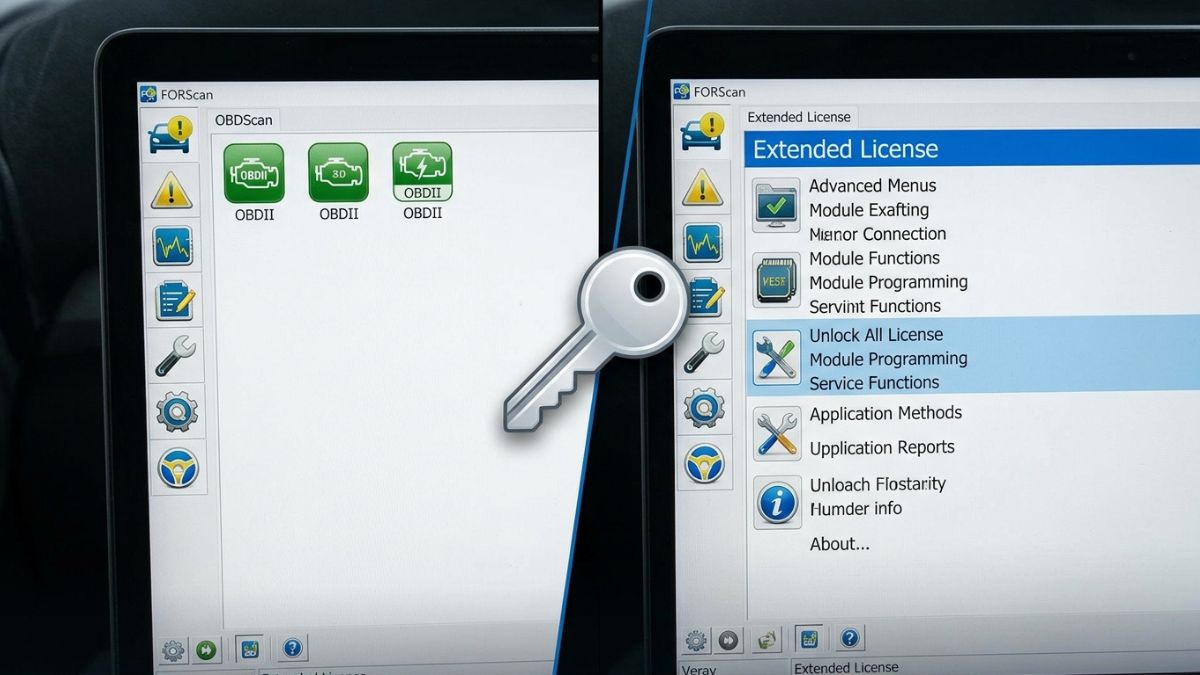
If you own a Ford, Mazda, Lincoln, or Mercury vehicle and are passionate about diagnostics and customizations, then FORScan is likely already on your radar. This powerful software provides access to various modules within your car’s onboard computer system. But did you know that an Extended License can unlock even more features? Whether you’re a seasoned mechanic or just a car enthusiast looking to dive deeper into vehicle diagnostics, understanding the FORScan Extended License can elevate your experience.
You get to tap into advanced functions that standard users miss out on. From reading diagnostic trouble codes (DTCs) to programming keys and enabling hidden features, this tool is invaluable for those wanting full control over their vehicle’s systems. Let’s explore what the FORScan Extended License offers and how it can transform your automotive journey!
What is an Extended License and Why is it Necessary?
An extended license for FORScan is a special feature that unlocks additional functionalities of the software. It allows users to access advanced diagnostic capabilities and perform intricate programming tasks on their Ford, Mazda, Lincoln, and Mercury vehicles. This expanded access becomes necessary for those who want to delve deeper into vehicle diagnostics beyond standard features. With an extended license, you can read and clear trouble codes from various modules, customize settings, or even program new keys.
Without it, you’re limited in what you can do with your vehicle’s onboard systems. Many enthusiasts and professionals find that the extra tools make diagnosing issues faster and more effective. Essentially, the extended license transforms FORScan from a basic scanner into a powerful tool for automotive repair and customization.
Key Features of FORScan Extended License
The FORScan Extended License unlocks a range of powerful features that enhance your vehicle diagnostics and customization. One standout capability is the ability to access advanced modules not available in the standard version. This includes in-depth data from various electronic control units (ECUs). Another key feature is the programming options it provides. Users can modify settings for numerous systems, such as lighting configurations or seat adjustments, tailoring their driving experience.
Additionally, with this license, users gain full access to live data streams. Monitoring real-time parameters like engine performance helps in diagnosing issues more effectively. Moreover, troubleshooting becomes simpler with expanded diagnostic trouble code (DTC) support. You can retrieve codes specific to Ford vehicles that might otherwise remain hidden. With these robust tools at your disposal, managing and understanding your vehicle’s health has never been easier or more comprehensive.
Benefits of Using FORScan with an Extended License
Using FORScan with an Extended License opens up a world of possibilities for vehicle diagnostics and customization. This license allows access to advanced features that standard users simply can’t tap into. One significant advantage is the ability to perform deep scans on your vehicle’s modules. You gain insights into issues that might not be visible through basic diagnostics tools.
Additionally, the Extended License enables you to modify settings in various electronic control units (ECUs). This means you can adjust parameters like lighting options or transmission behavior according to your preferences. Moreover, it supports a wide range of Ford, Lincoln, Mazda, and Mercury vehicles. Compatibility ensures you’re covered whether it’s a newer model or something vintage. Having this license helps in troubleshooting problems effectively. It saves both time and money by allowing DIY enthusiasts to handle repairs without frequent trips to the mechanic.
Step-by-Step Guide on How to Install FORScan Extended License
To install the FORScan Extended License, start by visiting the official FORScan website. Download the necessary software compatible with your vehicle’s system. Next, ensure you have a working OBD-II adapter. This is crucial for connecting to your car’s onboard diagnostics network. Once downloaded, open the FORScan application on your computer. Connect your OBD-II adapter to the vehicle and plug it into your laptop or tablet via USB or Bluetooth.
Now, navigate to the “Configuration” tab within FORScan. Here, follow prompts that will guide you through entering license details. Remember to check for any updates post-installation for optimal performance. After completing these steps, restart both the application and vehicle’s ignition to finalize setup. Your extended features should now be activated and ready for use! Enjoy exploring all capabilities provided by this powerful tool.
Tips for Getting the Most Out of Your FORScan Extended License
To maximize your FORScan Extended License, familiarize yourself with all its features. Explore the software thoroughly to understand diagnostics, coding, and advanced functions. Use online forums and communities dedicated to FORScan users. Engaging with other enthusiasts can reveal tips and tricks that enhance your experience. Regularly update the software to access new features and improvements. Staying current ensures you benefit from any bug fixes or enhancements made by developers.
Take advantage of the user manual or guides available on the official website. These resources provide valuable insights into making full use of your license. Experiment with different settings in a safe environment before applying changes to critical systems. This approach minimizes risks while boosting confidence in using advanced functionalities. Keep a log of changes you make during diagnosis or repairs for future reference. Documenting these experiences helps track progress and learn from past adjustments effectively.
Conclusion
The FORScan Extended License is a powerful tool for vehicle owners and enthusiasts. It unlocks features that standard licenses simply cannot access. With the ability to diagnose issues, reprogram modules, and customize settings, it enhances your experience with Ford, Mazda, Lincoln, and Mercury vehicles.
Understanding how to install this license can significantly amplify your automotive knowledge and skills. By following the step-by-step guide provided earlier, you’ll be well on your way to mastering the capabilities of FORScan.
Remember that utilizing all the benefits available through an extended license requires some practice. Take time to explore its features fully; you’ll find new ways to improve your vehicle’s performance or resolve pesky errors along the way.